
What is Trilo?
Trilo is a comprehensive collaboration platform that brings together everything your team needs to work effectively. Combine your knowledge base, tasks, calendar, and team communication in one unified workspace—with AI coworkers to help you get more done.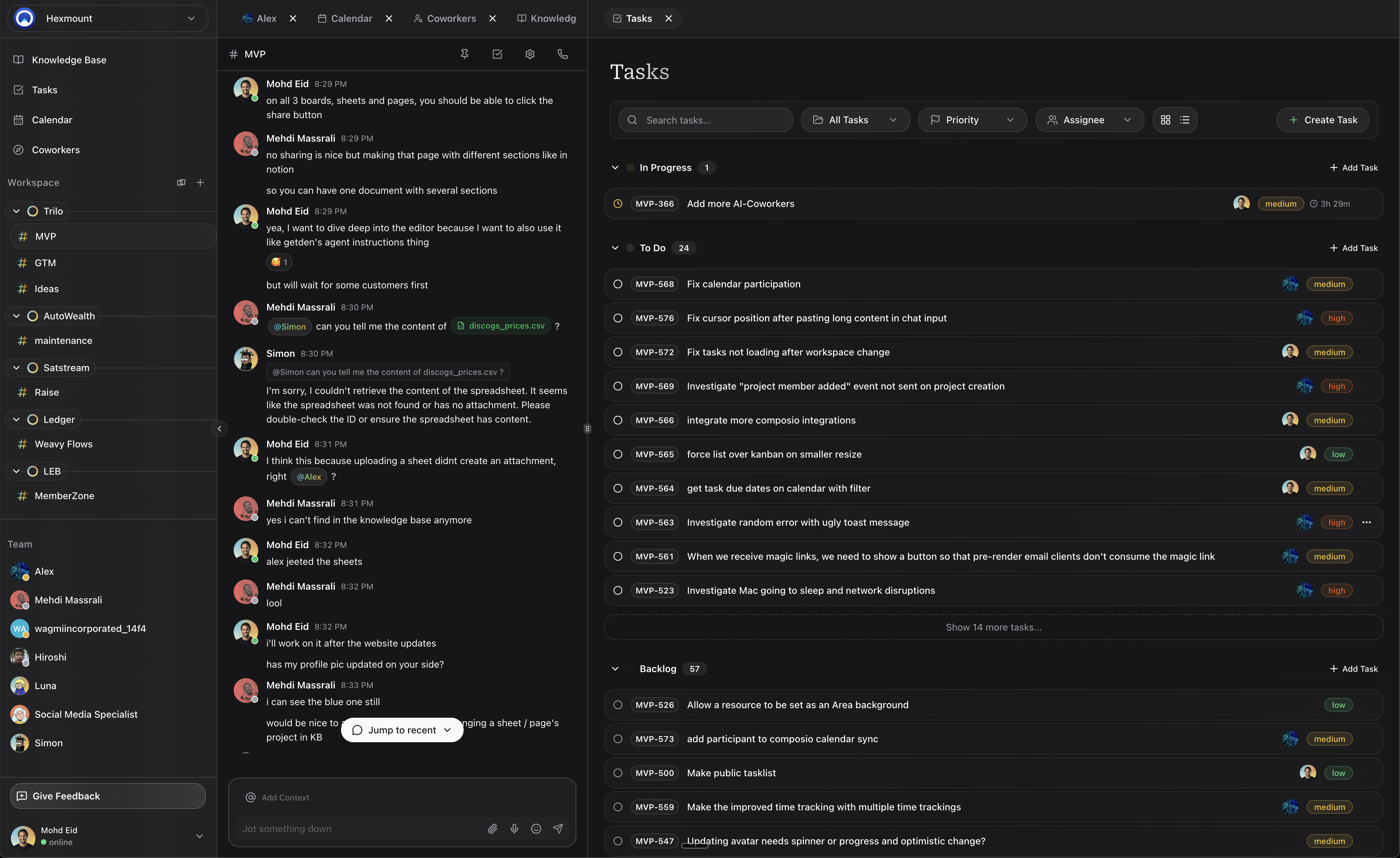
Knowledge Base
Create and organize documents, spreadsheets, and whiteboards in one place.
Tasks
Manage work with powerful task tracking, assignments, and multiple views.
Calendar
Schedule events, sync with Google Calendar, and set up booking pages.
Chat
Communicate in real-time with project channels and direct messages.
Why Teams Choose Trilo
Everything in One Place
Stop switching between apps. Trilo combines your documentation, project management, scheduling, and communication into a single, cohesive workspace.AI-Powered Productivity
Work alongside AI coworkers that can help you draft content, analyze data, manage tasks, and more. They’re integrated directly into your workflow, not bolted on as an afterthought.Real-Time Collaboration
Edit documents together, see who’s online, and communicate instantly. Every change syncs in real-time across all devices.Organized by Design
Use workspaces, areas, and projects to create a structure that matches how your team actually works. Find what you need, when you need it.Core Concepts
Understanding these key concepts will help you get the most out of Trilo:Workspaces
Workspaces
A workspace is your team’s home base. It contains all your projects, resources, and team members. Most teams have one workspace, but you can create multiple for different organizations or clients.
Areas
Areas
Areas are top-level categories within your workspace. Use them to organize projects by department, team, or initiative. For example: “Engineering,” “Marketing,” or “Q1 Launch.”
Projects
Projects
Projects live within areas and contain your actual work—tasks, knowledge base resources, calendar events, and chat messages. Each project has its own channel and settings.
Resources
Resources
Resources are the content you create in your knowledge base. This includes pages (documents), spreadsheets, and boards (whiteboards). Resources can be organized within projects or shared across your workspace.
AI Coworkers
AI Coworkers
AI coworkers are intelligent assistants that can help with various tasks. You can chat with them, assign them work, and even create custom coworkers tailored to your team’s needs.
Getting Started
Ready to dive in? Here’s how to get started:1
Create your account
Sign up at app.trilo.chat with your email or Google account.
2
Set up your workspace
Create your first workspace and invite your team members.
3
Create your first project
Set up a project within an area to start organizing your work.
4
Explore the features
Try creating a document, adding tasks, or chatting with an AI coworker.
Quick Start Guide
Follow our step-by-step quickstart to set up your workspace in minutes.
Platform Availability
Trilo is available on:- Web: Access from any modern browser at app.trilo.chat
- Desktop: Native apps for macOS and Windows
- Mobile: iOS and Android apps for work on the go
Download Apps
Get Trilo on all your devices.
Explore Trilo Features
Dive deeper into what Trilo can do for your team:Knowledge Base
Create docs, spreadsheets, and whiteboards.
Task Management
Track work with multiple views and AI assistance.
Team Calendar
Schedule events and sync external calendars.
Real-Time Chat
Communicate with channels, DMs, and voice calls.
AI Coworkers
Get help from intelligent AI assistants.
Integrations
Connect 100+ apps like GitHub, Slack, and Gmail.